
Sign PDFs in your own hand.

Draw your signature once with a mouse, pen or finger, click the line it goes on, and save. YepSign is a free Chrome extension, and your files never leave your computer.

Installs from the Chrome Web Store. No account needed.

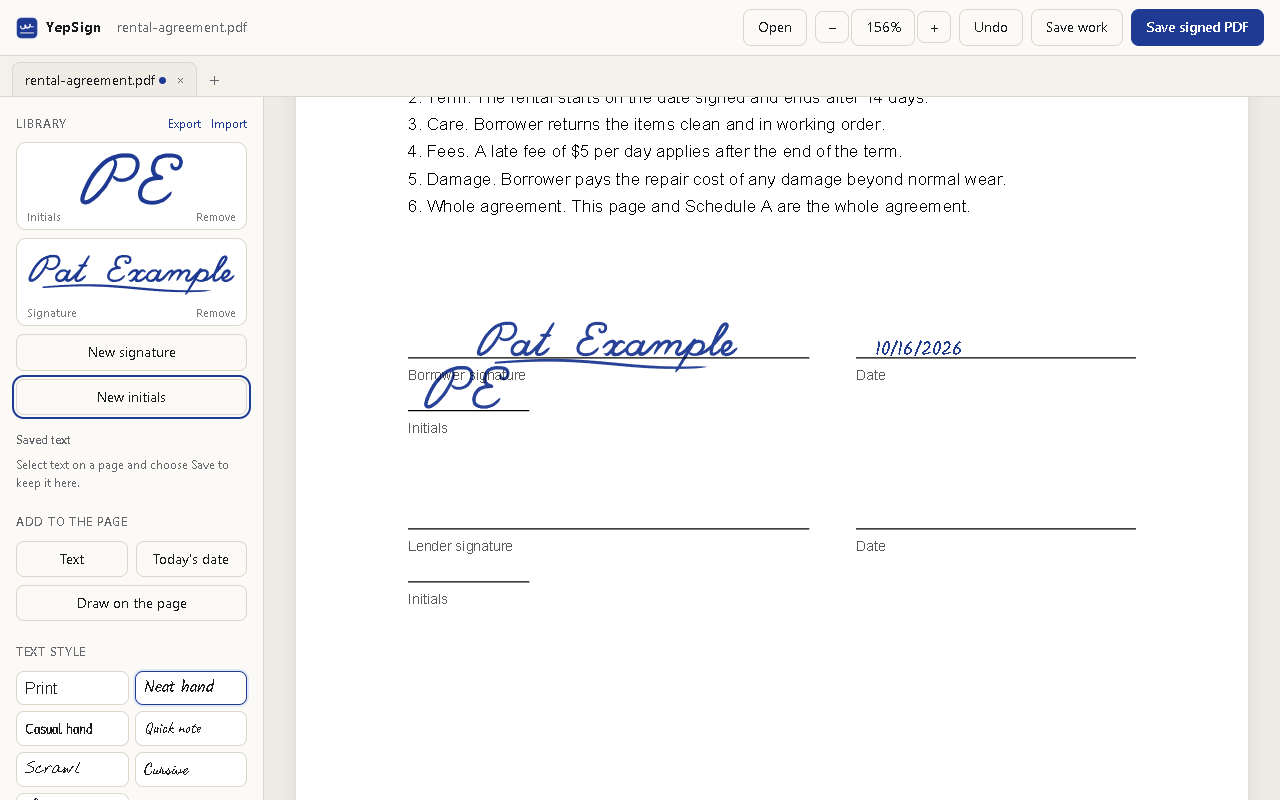
YepSign with a signature, initials and a date placed on a rental agreement
How it works

Three steps instead of a printer and a scanner

1

Draw it once

Sign on the pad with whatever you have. A pen tablet's pressure, or your mouse speed, shapes the line like real ink.

2

Click the line

Your signature lands on the line the way you drew it. Move it, resize it, add the date or your name.

3

Save the PDF

You get an ordinary PDF with sharp vector ink, ready to email or upload anywhere.

Ink, not a stamp

It looks like you signed it with a pen

Choose a ballpoint, fountain pen or felt marker, blue or black ink, and a thickness. Lines thin out where your hand moves fast, the way a real pen does, and the ink stays crisp at any zoom.

You can also skip the pad and sign straight onto the page.
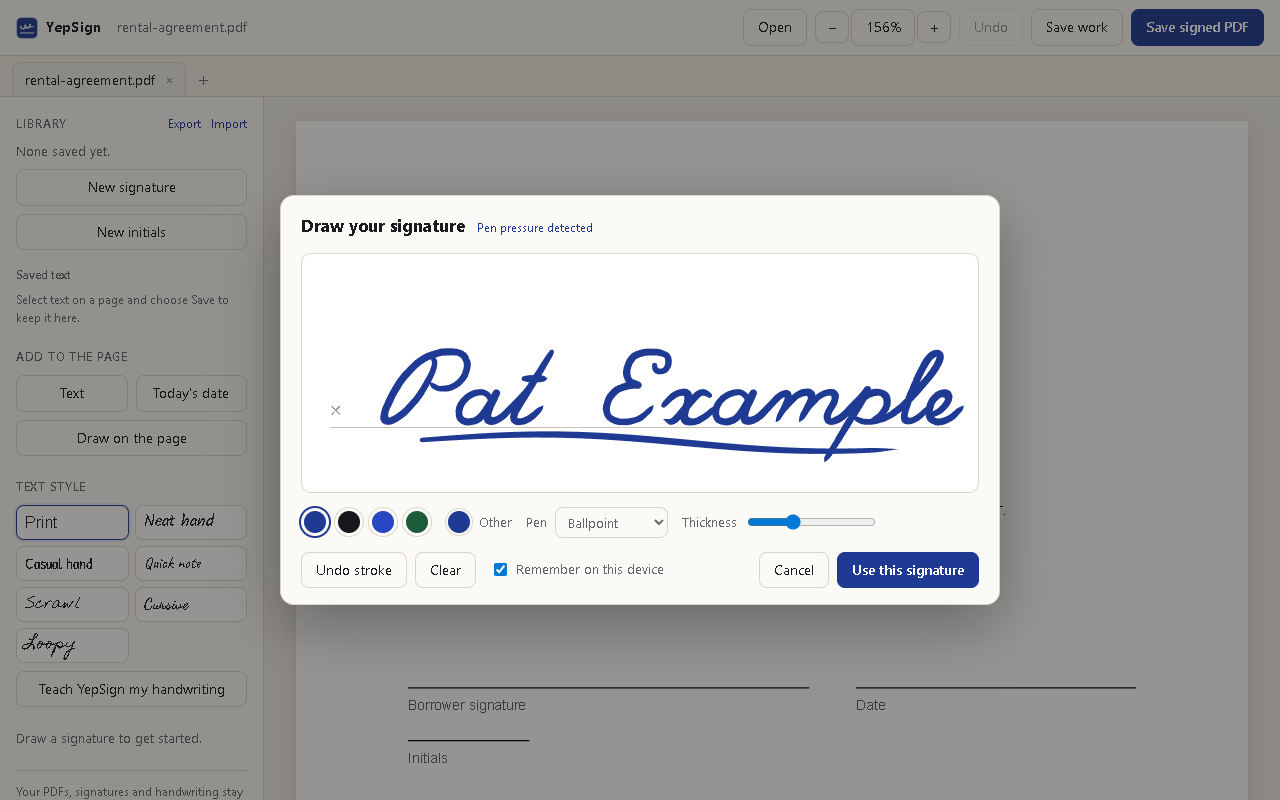
The YepSign drawing pad with a signature in progress
Your handwriting

Typed text, written in your hand

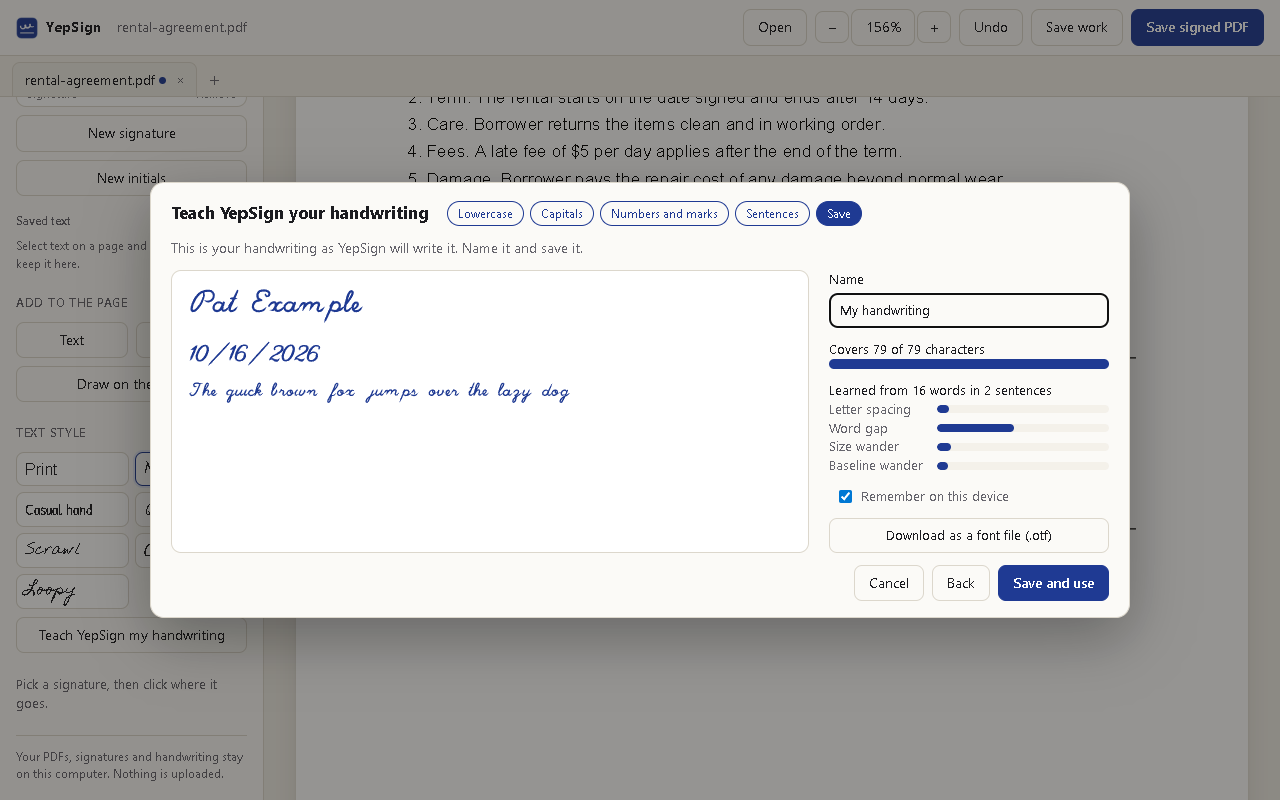
Write each letter once, then two sentences. YepSign uses your letters, measures your spacing and how much your writing wanders, and writes dates and names the way you would, a little different every time.

Prefer a ready-made style? Six handwriting fonts and a plain print font are included. You can download your own handwriting as a font file too.

Teaching YepSign your handwriting, with a preview of text written in it
For real paperwork

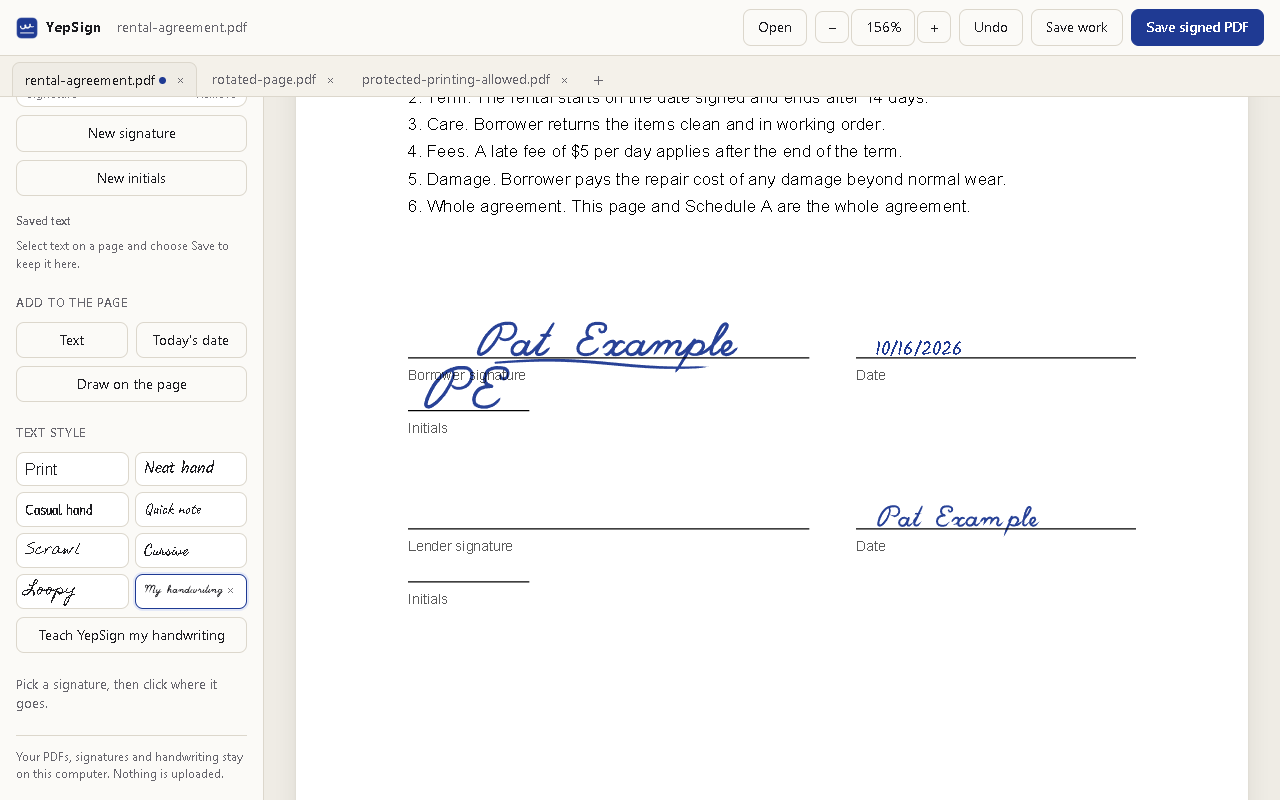
Several documents, one library

  • Open several PDFs at once, each in its own tab.
  • Keep signatures, initials and text you use often in your library.
  • Save unfinished work as a .yepsign file and keep editing later.
  • Rotated and cropped pages are handled, and so are protected PDFs that allow printing.
Three PDFs open as tabs, with the library of signatures and text styles
Private by design

Your documents stay on your computer

No account

Install it and sign. There is nothing to register for and nothing to log in to.

No server

PDFs are opened and saved inside the extension. YepSign only goes online to fetch a PDF you asked it to open from a website.

No tracking

No analytics and no ads. Your signatures and handwriting are kept in Chrome on this computer. Privacy policy

Install

Get YepSign

  1. Open YepSign in the Chrome Web Store and click Add to Chrome.
  2. Pin YepSign from the extensions menu so its button is always there.
  3. Open a PDF in Chrome and click the YepSign button, or open YepSign and drop a PDF on it.

To sign PDFs you open from your disk, turn on Allow access to file URLs in YepSign's details on chrome://extensions. Prefer to install a specific version by hand? Every release has the extension as a zip.